
TABLE OF CONTENTS
1. Overview
AI Analytics helps organizers quickly understand event performance by generating AI-powered insights from the Analytics section of the Airmeet dashboard.
Instead of manually reviewing multiple charts and reports, organizers can use AI Analytics to get a clear summary of key trends, audience behavior, engagement patterns, and recommended next steps.
AI Analytics is available for selected analytics sections such as:
Summary
Registrations
Engagement
The generated output can be copied, reviewed, and used for internal reporting, customer updates, post-event reviews, and future event planning.
2. How to generate AI Analytics
For example:
- Select Summary to get an overall event performance snapshot.
- Select Registrations to analyze audience and participation data.
- Select Engagement to understand how attendees interacted during the event.
Depending on the section, the button may appear as:
- Analyze Summary
- Analyze Registrations
- Analyze Engagement
Airmeet will start generating an AI-powered analysis for the selected section.
Once the analysis is complete, Airmeet displays the AI-generated insights in a dedicated analysis panel. The output may include:
2.1. AI Summary analysis
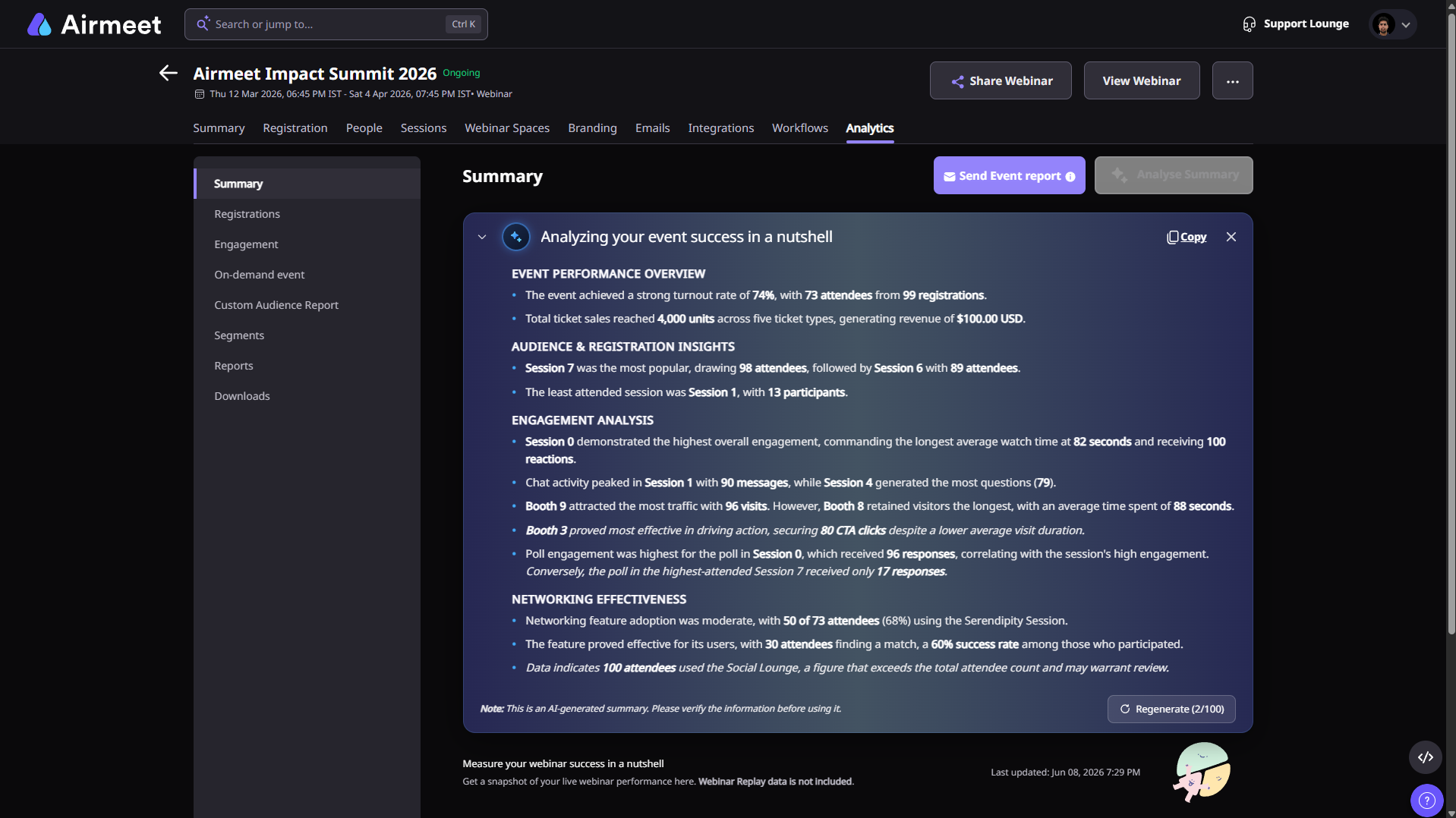
The Summary analysis gives organizers a quick snapshot of the event’s overall performance.
It may include insights such as:
Total registrations and attendance
Event turnout rate
Top-performing sessions
Engagement highlights
Networking participation
Overall event success indicators
Recommendations for future events
Use this when you want a high-level overview of how the event performed.
2.2. AI Registrations analysis
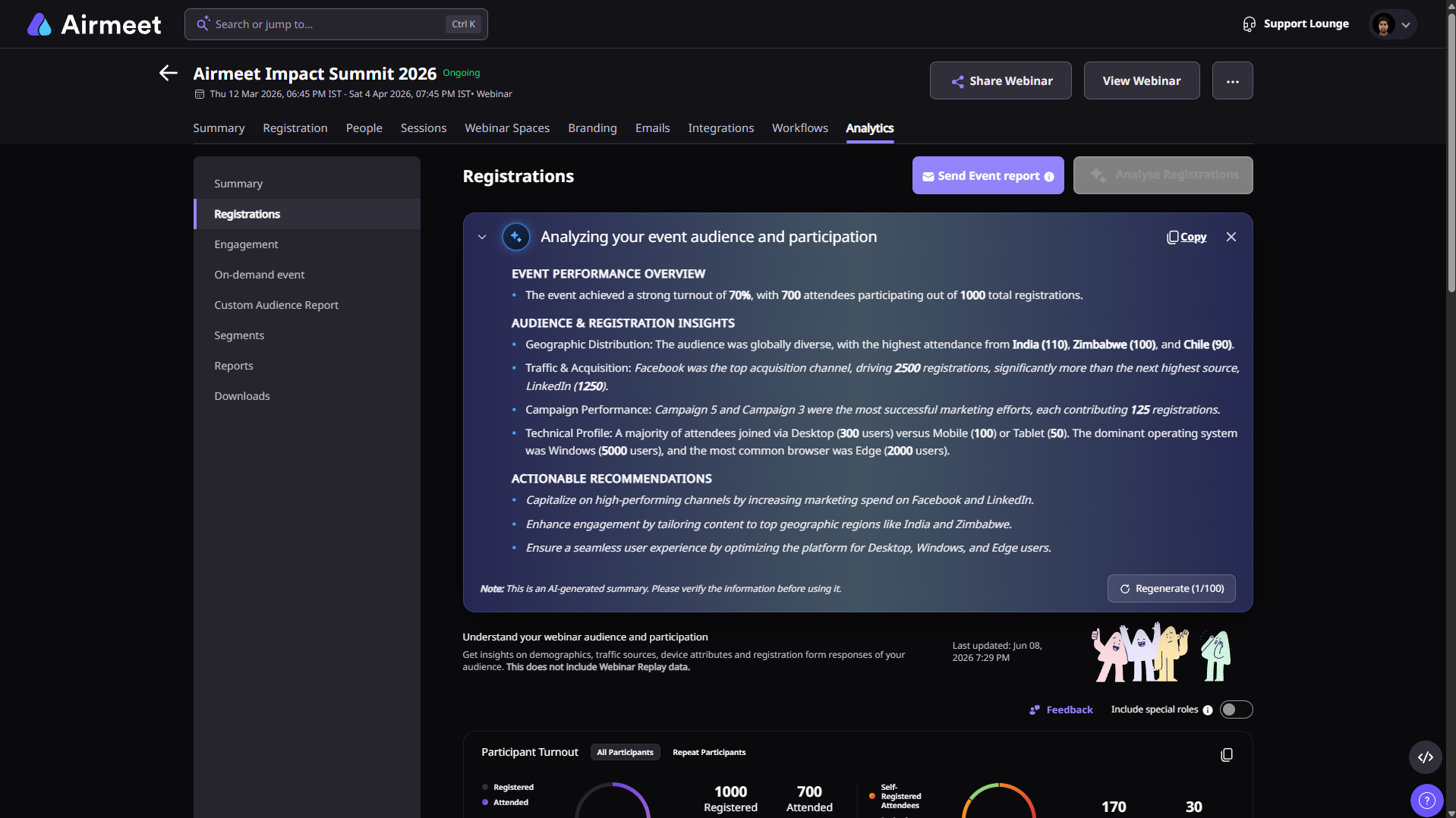
The Registrations analysis helps organizers understand audience and participation trends.
It may include insights such as:
Registration-to-attendance turnout
Audience distribution
Traffic and acquisition sources
Campaign performance
Device, browser, and operating system trends
Audience participation patterns
Recommendations to improve registration and attendance outcomes
Use this when you want to understand who registered, who attended, and which channels or campaigns contributed to audience acquisition.
2.3. AI Engagement analysis
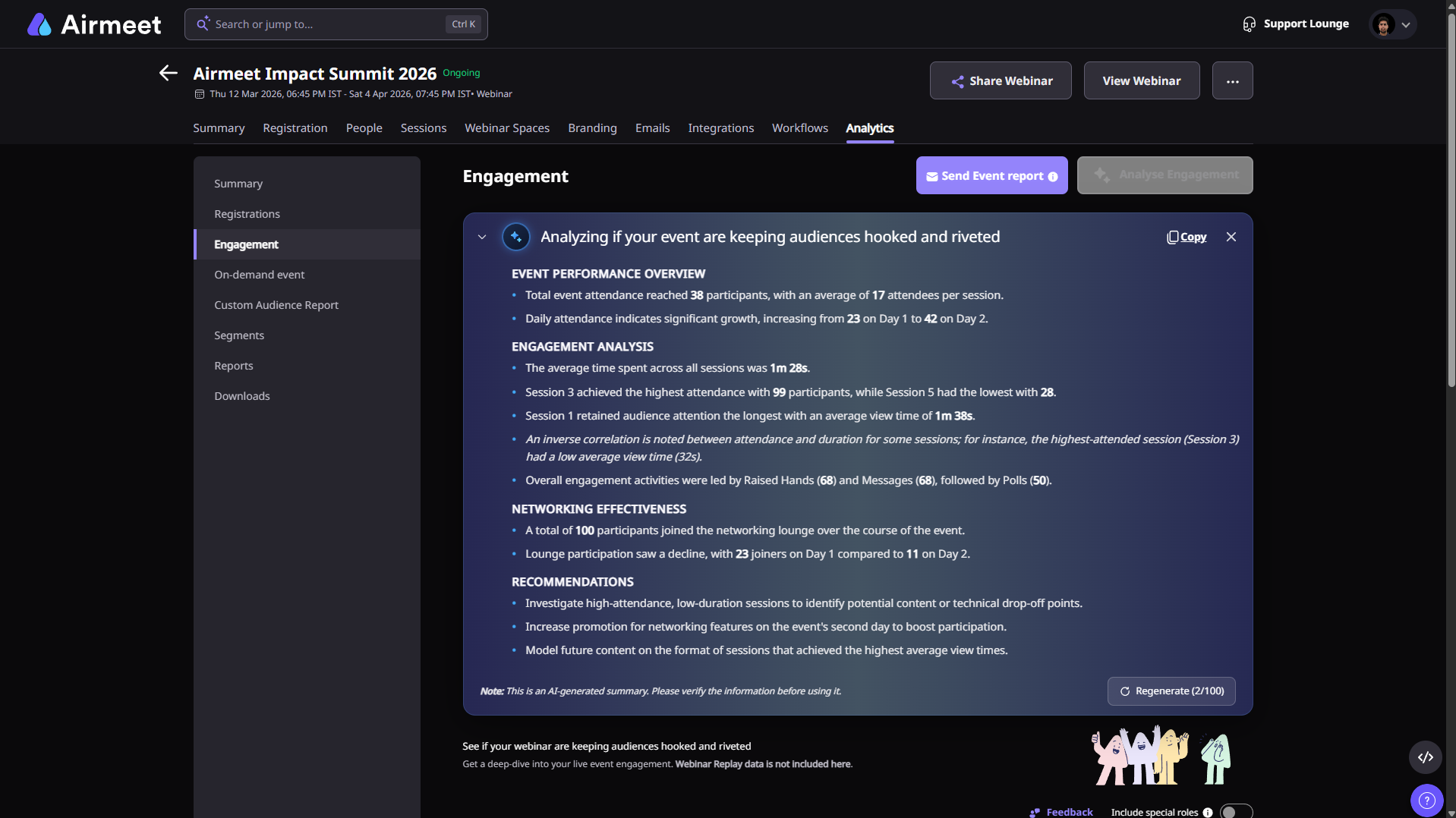
The Engagement analysis helps organizers understand whether the event kept attendees active and involved.
It may include insights such as:
Attendance trends across sessions
Average time spent by attendees
Highest and lowest attended sessions
Chat, Q&A, poll, raised hand, or message activity
Networking lounge participation
Audience attention patterns
Recommendations to improve engagement in future events
Use this when you want to evaluate attendee interaction and session-level engagement.
Regenerating AI Analytics
After AI Analytics is generated, you can regenerate the analysis if required.
Click Regenerate from the analysis panel to create a new version of the AI-generated insights.
The regenerate button also shows the number of attempts used and the total available attempts.
3. Important notes
- AI Analytics is generated based on the available event analytics data.
- Webinar Replay data is not included in the AI analysis.
- AI-generated insights may contain errors or may require validation. Review the generated output before using it for official reporting, customer communication, or business decisions.
- For detailed analysis, organizers should also refer to the full Analytics section in the Airmeet dashboard.
Was this article helpful?
That’s Great!
Thank you for your feedback
Sorry! We couldn't be helpful
Thank you for your feedback
Feedback sent
We appreciate your effort and will try to fix the article