
The Reset check-in feature allows organizers to clear the existing check-in status of attendees for a hybrid event. This is useful when check-ins were completed accidentally or when you need to start the attendee check-in process again.
1. What happens when you reset check-ins?
When you reset check-ins:
All currently checked-in attendees will be marked as Not Checked In.
Organizers can check in attendees again when required.
The reset applies to all attendees in the event.
This action is permanent and cannot be undone.
Important: Reset check-ins only when you are certain that the existing check-in information is no longer required.
2. How to reset attendee check-ins
Log in to your Airmeet Community Dashboard.
Open the relevant Hybrid/In-Person Event.
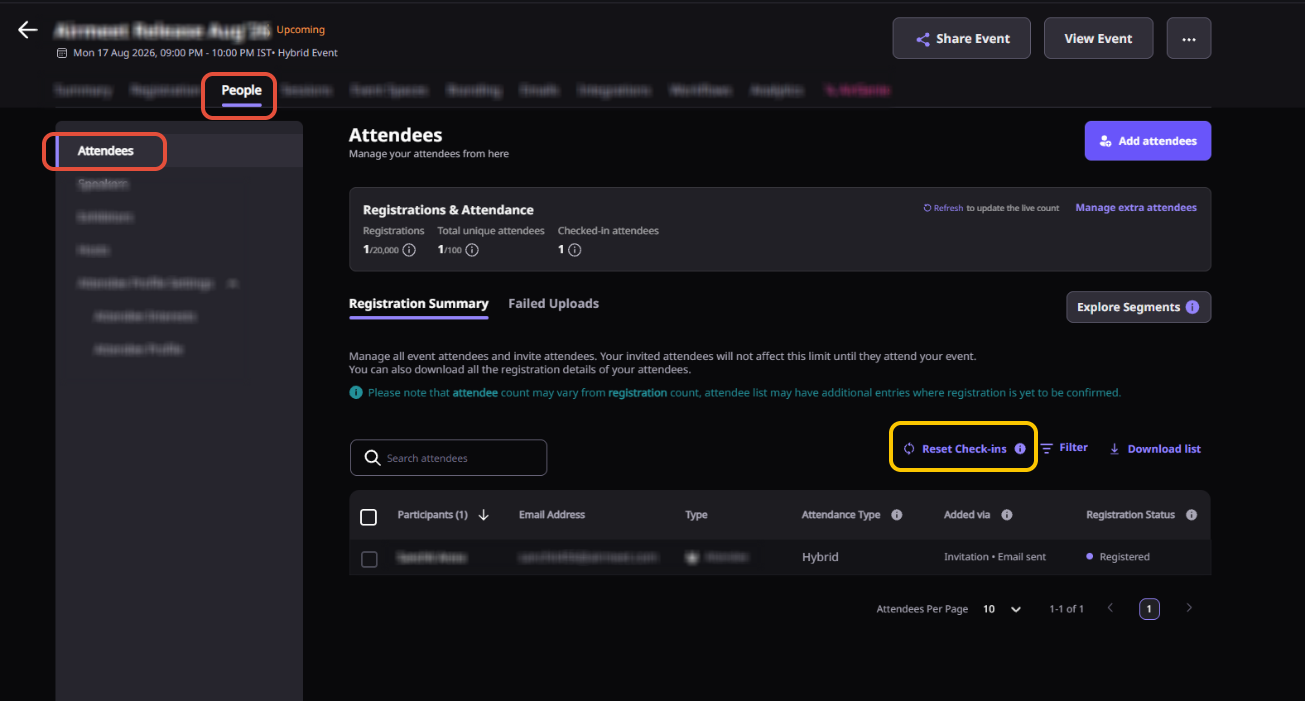
Navigate to the attendee/check-in management section.
Click Reset check-in.
A confirmation message will appear: “Are you sure you want to reset check-in?”
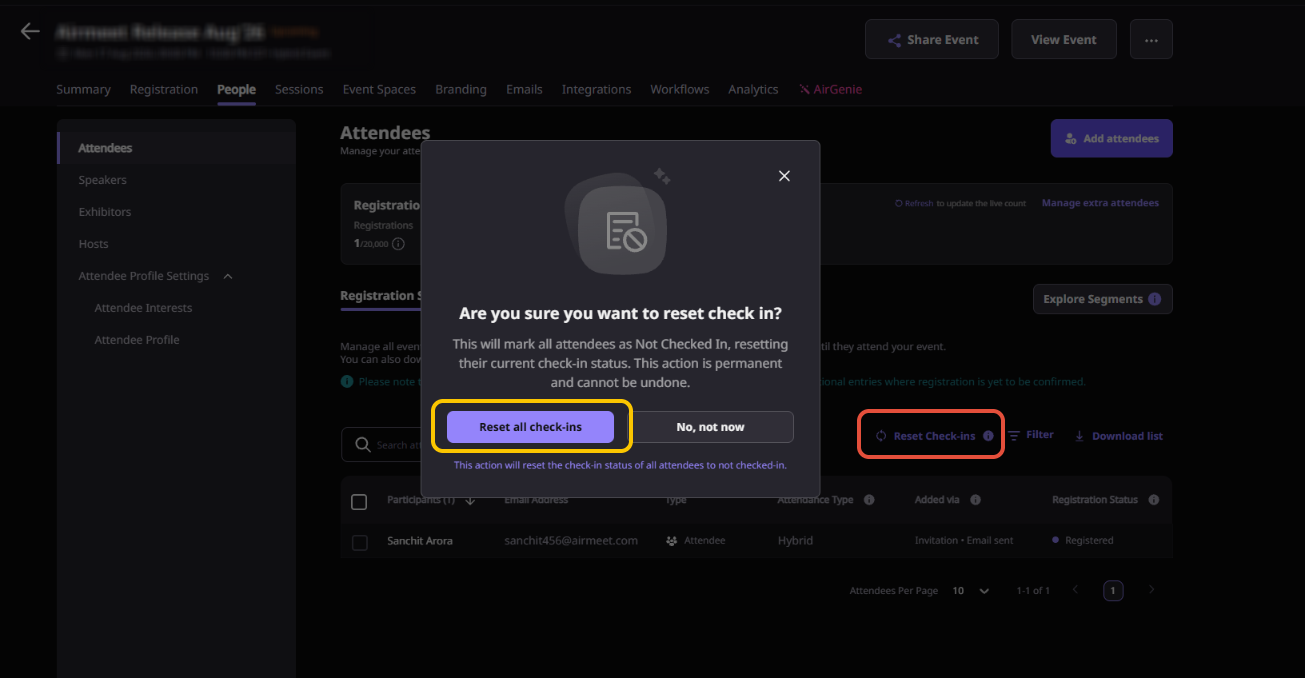
Review the warning and click Reset all check-ins to confirm.
Once confirmed, the check-in status of all attendees will be reset to Not Checked In.
3. When should you use Reset check-in?
This feature can be useful in scenarios such as:
Test check-ins: Your team checked in attendees while testing the event setup and wants to clear the data before the actual event.
Accidental check-ins: Attendees were mistakenly marked as checked in.
Restarting the check-in process: You need to clear existing check-ins and begin the process again.
4. Things to keep in mind
- Reset check-in is a bulk action and affects all checked-in attendees.
- You cannot choose individual attendees as part of the reset action.
- Once reset, the previous check-in status cannot be restored.
- Attendees can be checked in again after the reset.
5. FAQs
Can I undo a check-in reset?
No. Once you confirm Reset all check-ins, the action is permanent.Can I reset the check-in status of only selected attendees?
The Reset check-in action resets the status for all checked-in attendees at once.Can attendees be checked in again after a reset?
Yes. Once reset, attendees will appear as Not Checked In and can be checked in again normally.Does resetting check-ins remove attendees from the event?
No. It only changes their check-in status. Attendees remain registered for the event.Who can reset check-ins?
The reset option is available to organizers with the appropriate event management permissions.
Need more help? Contact support@airmeet.com or visit our Customer Support Lounge.
Was this article helpful?
That’s Great!
Thank you for your feedback
Sorry! We couldn't be helpful
Thank you for your feedback
Feedback sent
We appreciate your effort and will try to fix the article