TABLE OF CONTENTS
- Airmeet Product Release Notes — March/April 2026
- Event Productivity
- 1. Native Event & Session Survey
- 2. Schedule Alerts ⏰
- 3. Send Booth Invitation Emails from Dashboard to Exhibitors
- 4. Advanced Formatting for Session Descriptions ✍️
- 5. Enhanced Mobile Web Experience
- 6. Copy Analytics Data
- 7. Add Date Range Filter in Community-Level Custom Audience Report
- 8. Disable the "Skip This Match" option from serendipity sessions.
- Session & Stage Experience
- Customization & Branding
- ⚙️ Others
Airmeet Product Release Notes — March/April 2026
At Airmeet, we’re always building new capabilities to make hosting events simpler and more impactful. This release introduces several new features and enhancements to help you run smoother events, gather deeper insights, and deliver better attendee experiences.
Event Productivity
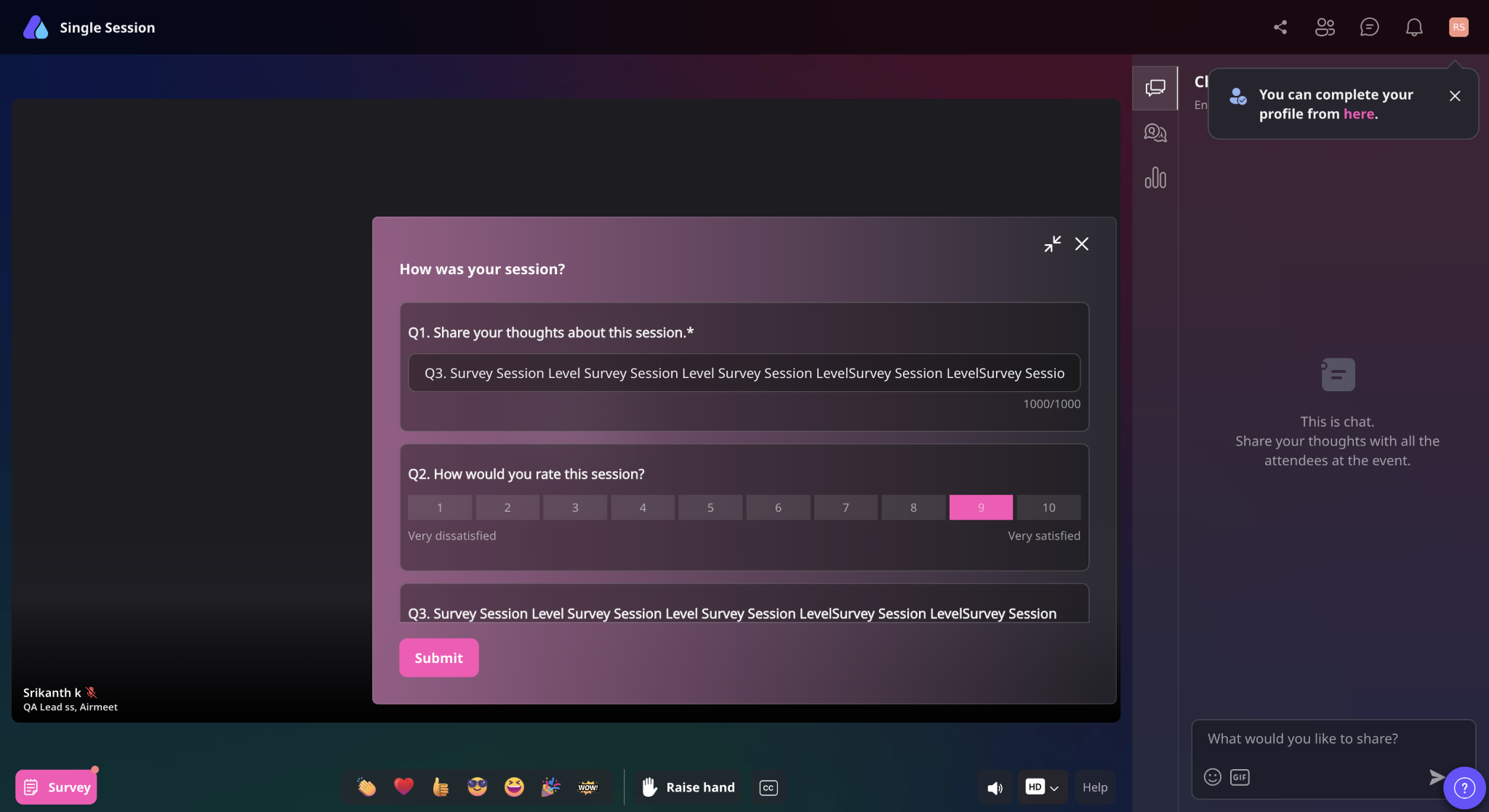
1. Native Event & Session Survey
Collect instant feedback with built-in surveys at the event or session level. Measure satisfaction, learn faster, and improve every event.
Read about : Airmeet Survey
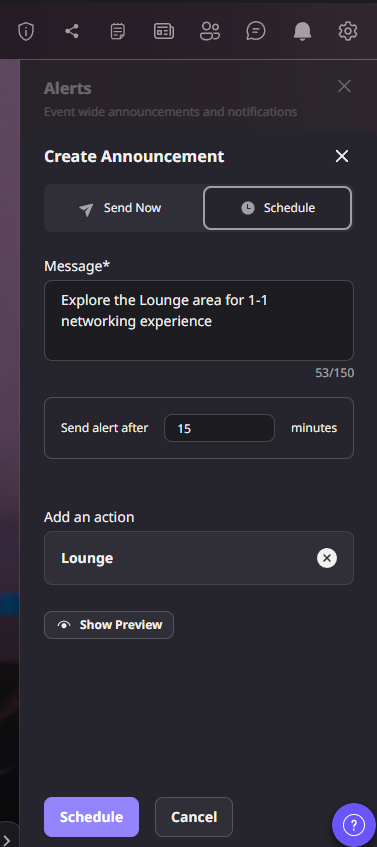
2. Schedule Alerts ⏰
Schedule event alerts in advance so you can stay focused on running your event while attendees receive timely reminders.
Read about : How to send "text-based notifications or alerts" to participants in an Airmeet event.
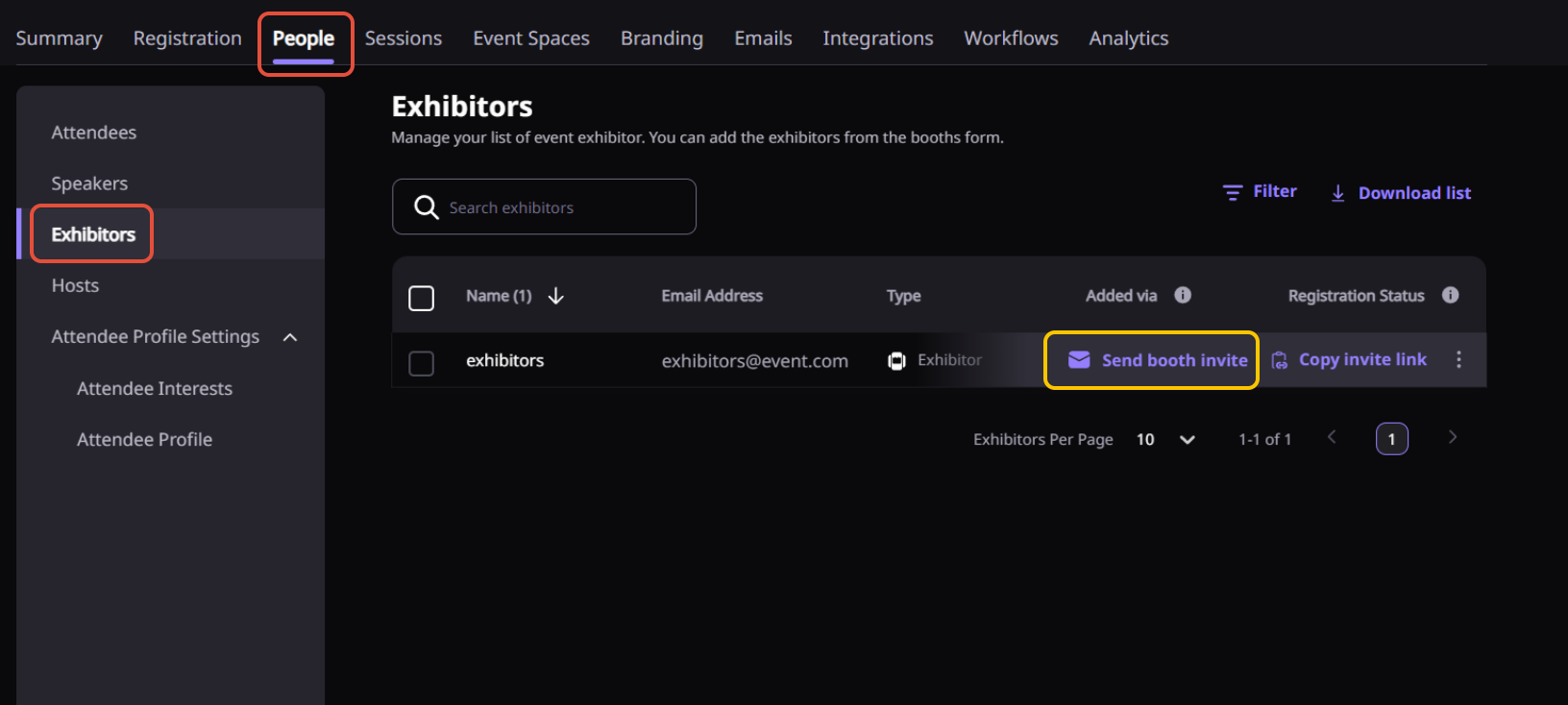
3. Send Booth Invitation Emails from Dashboard to Exhibitors
Invite exhibitors directly from the dashboard with branded emails. Speed up booth onboarding and increase sponsor participation.
 Read about : How to add a booth exhibitor & copy an exhibitor link for an Airmeet event.
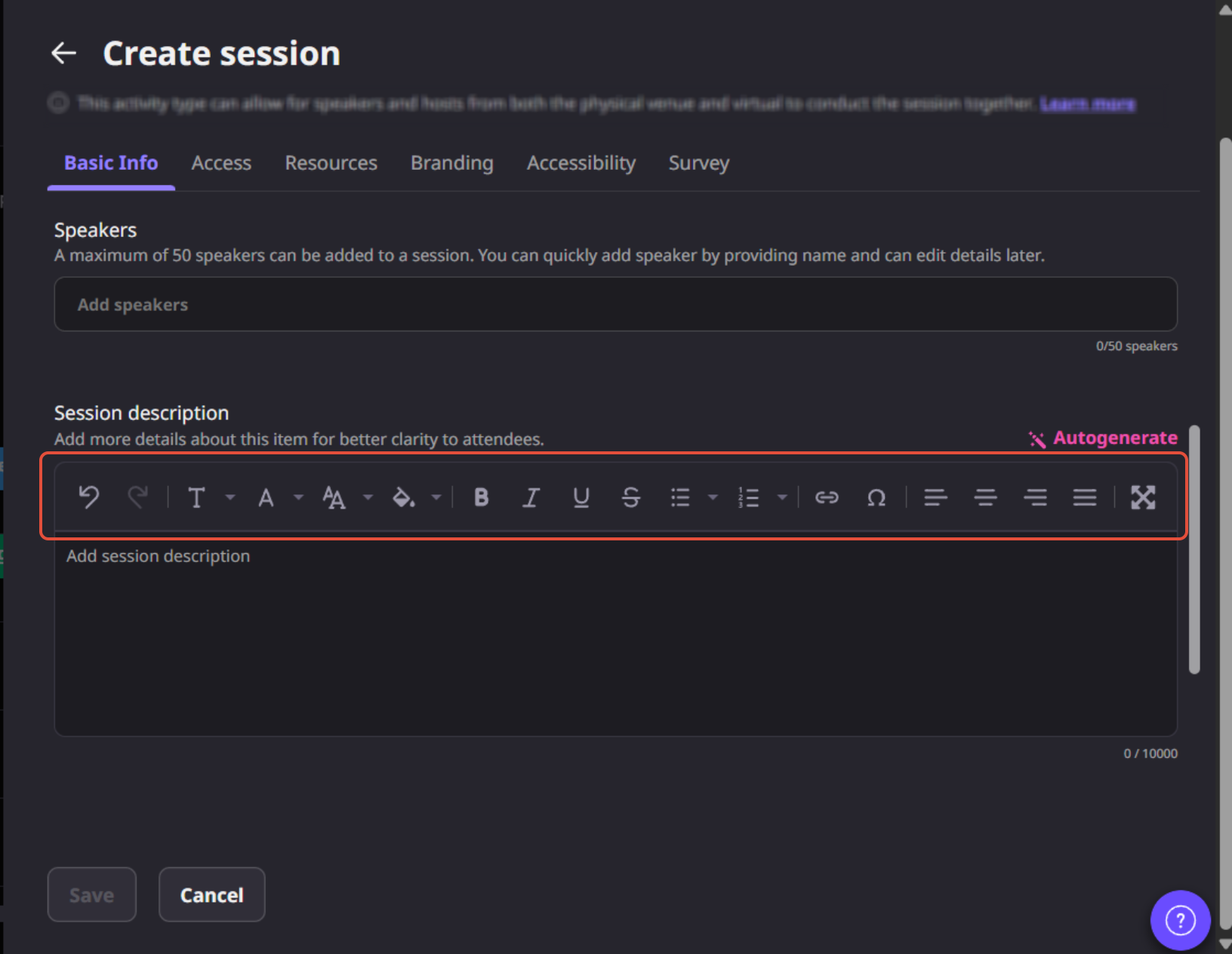
4. Advanced Formatting for Session Descriptions ✍️
Create rich, structured session descriptions with advanced formatting. Improve clarity, engagement, and attendee decision-making.
5. Enhanced Mobile Web Experience
Experience a faster and smoother mobile web interface, making it easier for attendees to join sessions, network, and interact from their mobile browsers.
6. Copy Analytics Data
Quickly copy analytics data for reports and stakeholder updates, allowing you to share insights without manual data compilation.
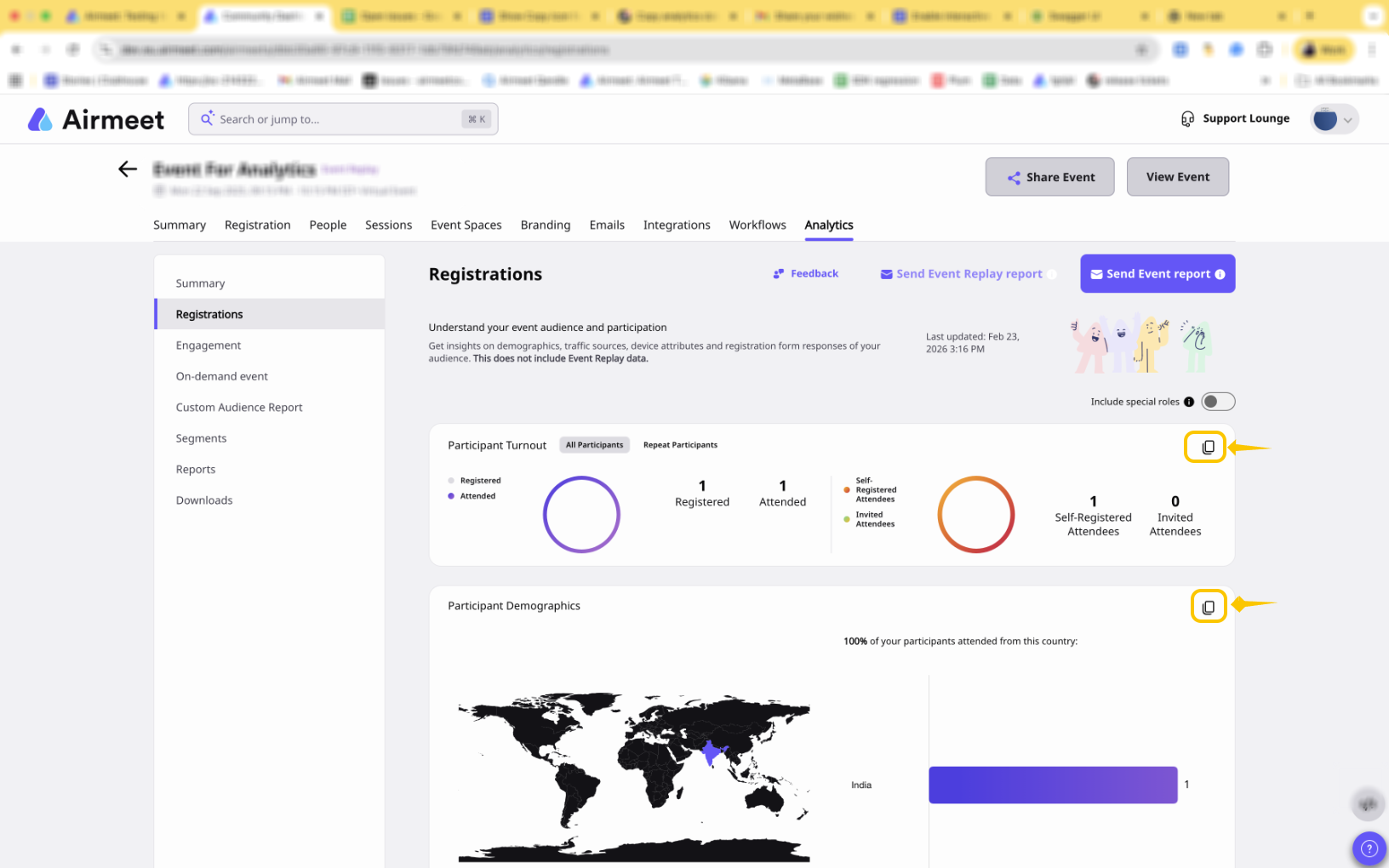
Read about : Airmeet 'Realtime Analytics' Dashboard & Segmentations
7. Add Date Range Filter in Community-Level Custom Audience Report
Filter Custom Audience Reports by date range to track engagement trends and campaign performance over time.
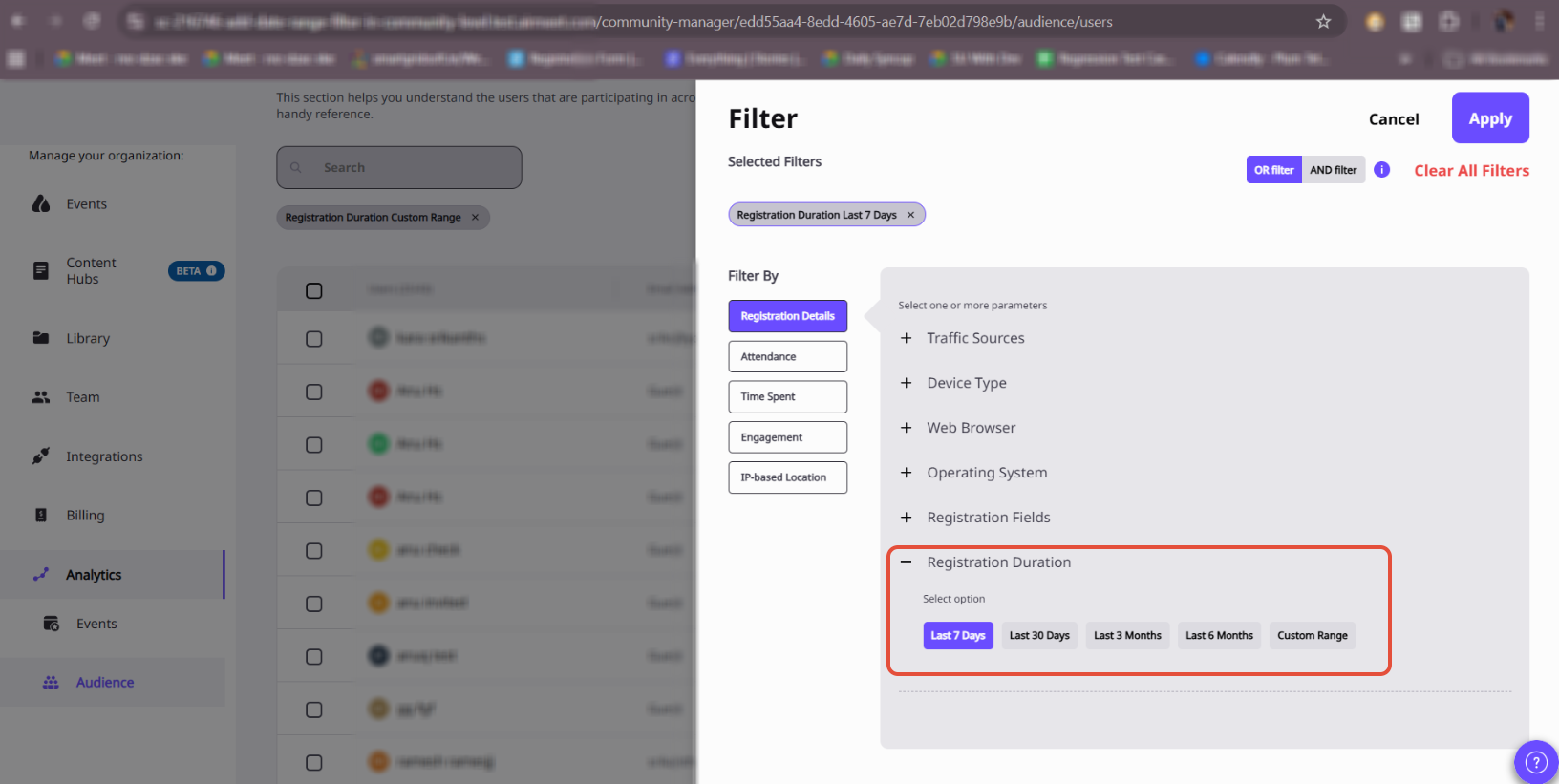 Read about : How to view and generate "Airmeet workspace level analytics & segments"?
8. Disable the "Skip This Match" option from serendipity sessions.
Organizers can now disable the “Skip this match” option in Serendipity Sessions to ensure participants stay committed once a networking match is created.
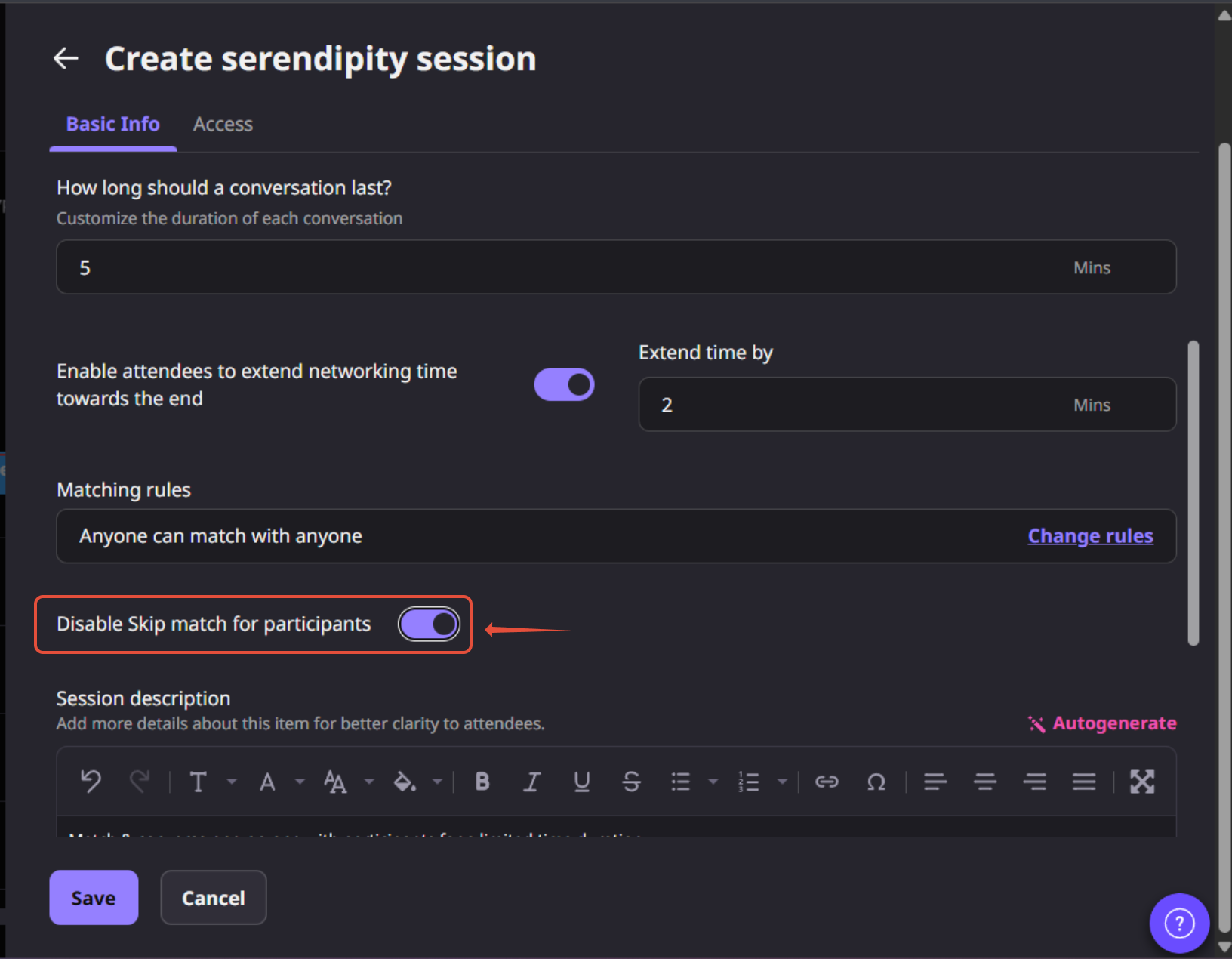 Read about : How to add a Serendipity Session?
Session & Stage Experience
9. Auto-Assign Participants in Breakout Rooms
Automatically distribute attendees across breakout rooms for faster setup, balanced groups, and smoother session flow.
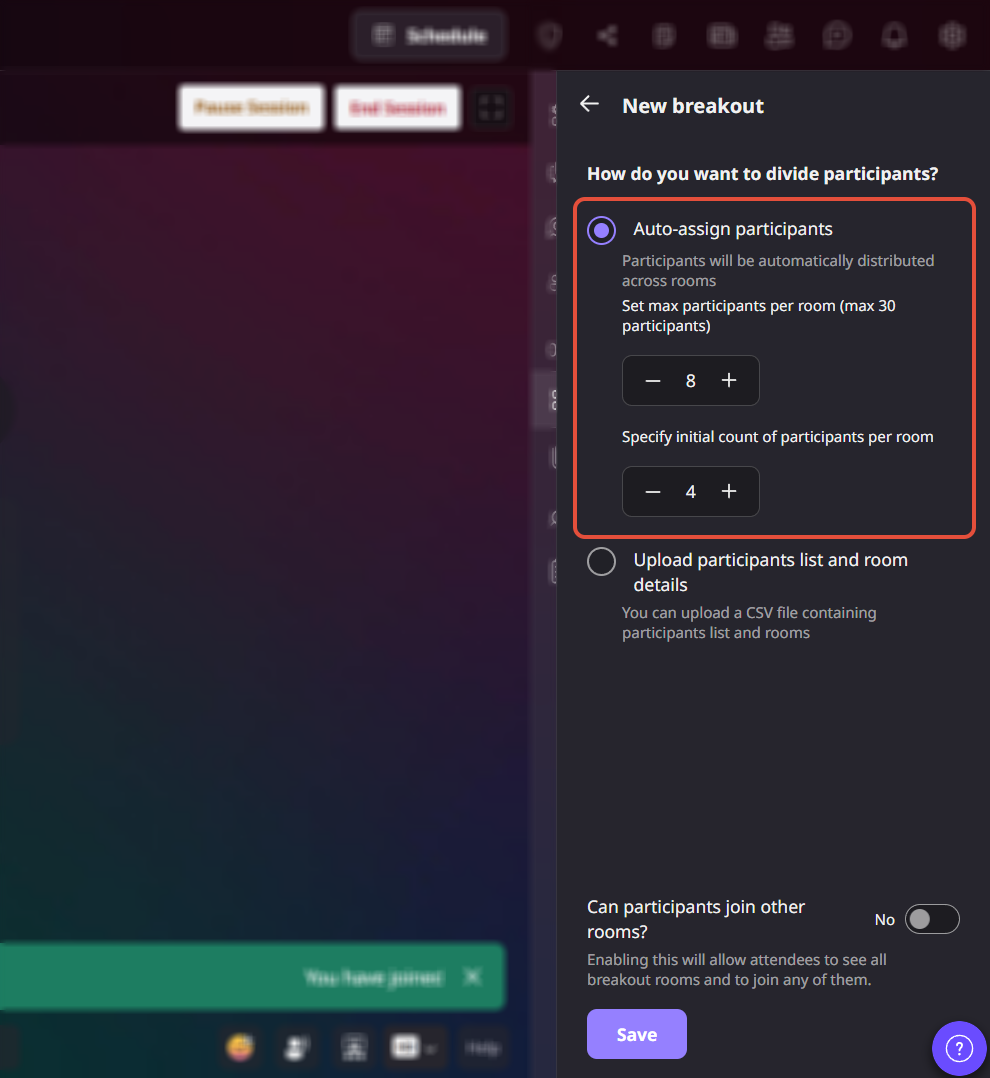
Read about : How to set up "Breakout Rooms" during an Airmeet session?
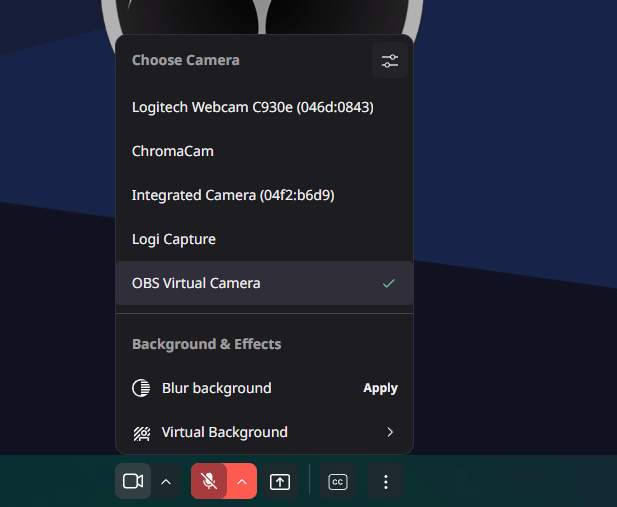
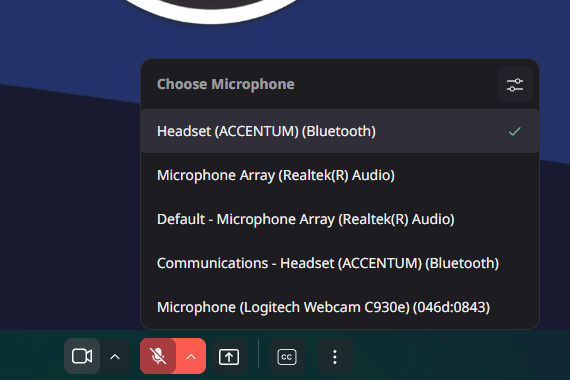
10. Change Camera & Mic in Real Time
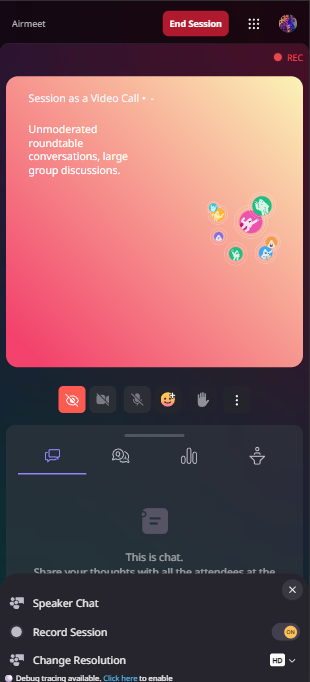
Switch your camera or microphone instantly during live sessions, allowing speakers and hosts to adjust their setup without leaving the stage.
11. Auto-Start Recording for Video Call Sessions
Enable automatic recording when a video call session begins so every important moment of the session is captured.
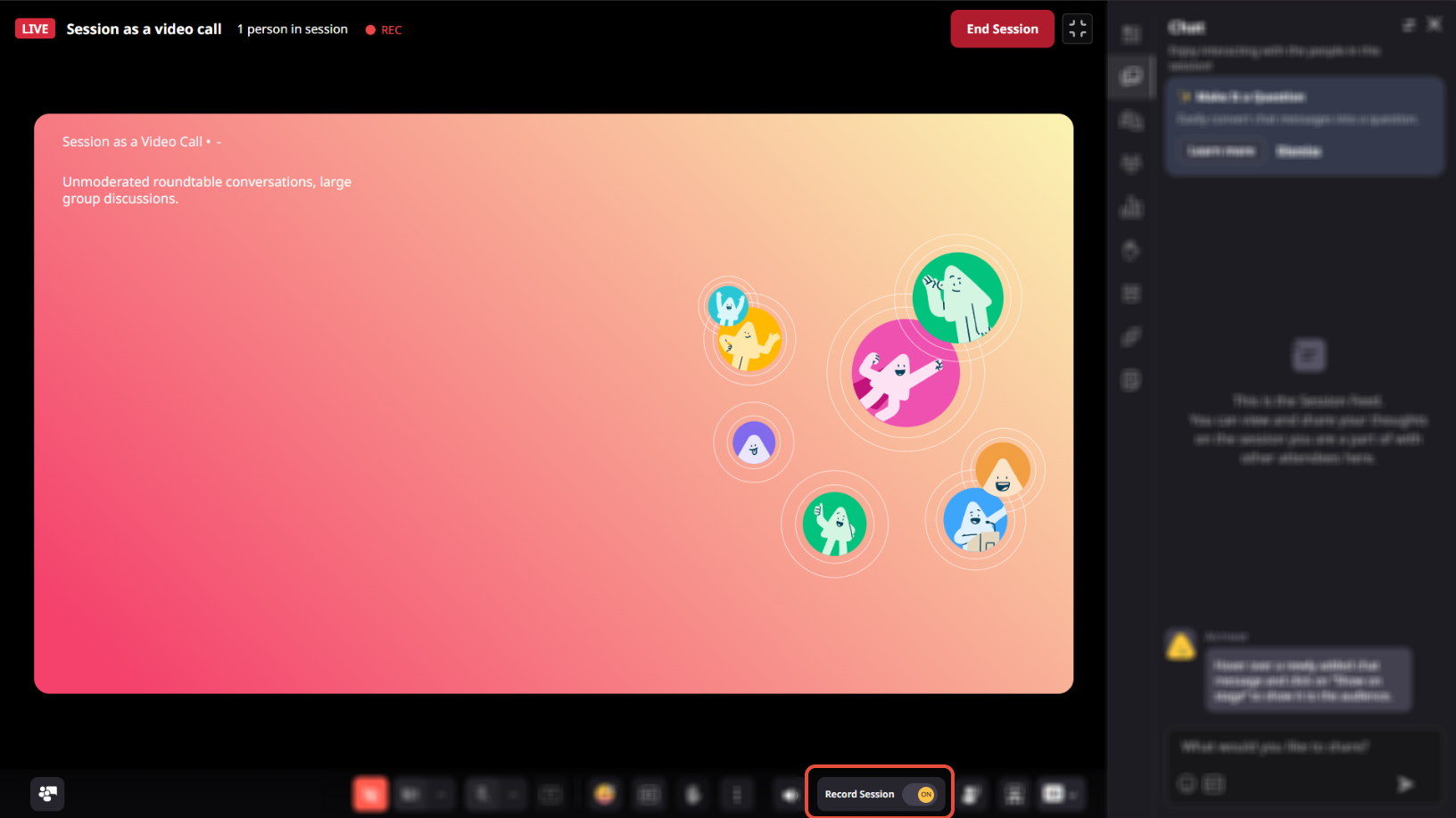 Read about : How to set up a 'session as a video call' session & start the session during the event.
12. Nudge Speakers via Sound Notification
Keep sessions on track by nudging speakers with sound alerts. Ideal for time management and smooth transitions.
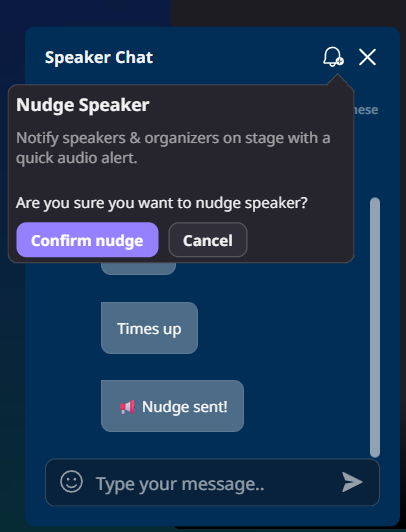
Read about: Nudge Speakers via Sound Notification
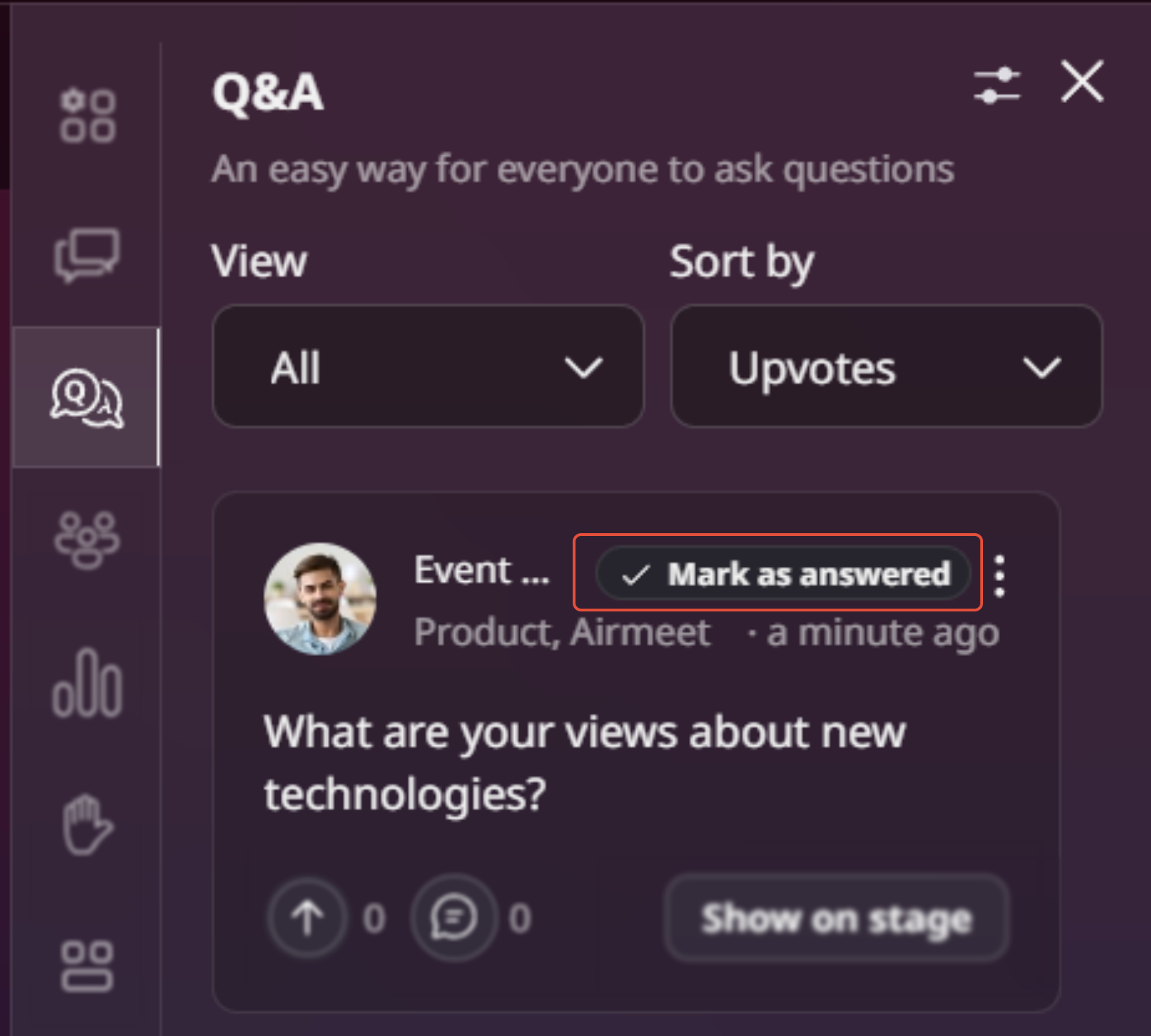
13. Speakers Can Mark Questions as Answered ✅
Speakers can now mark questions as answered during Q&A, helping attendees easily track responses and keep discussions organized.
Customization & Branding
14. Replace Security & Confirmation Illustrations with Event Logo
Customize attendee touchpoints by replacing default security and confirmation illustrations with your event logo for a more consistent and branded experience.
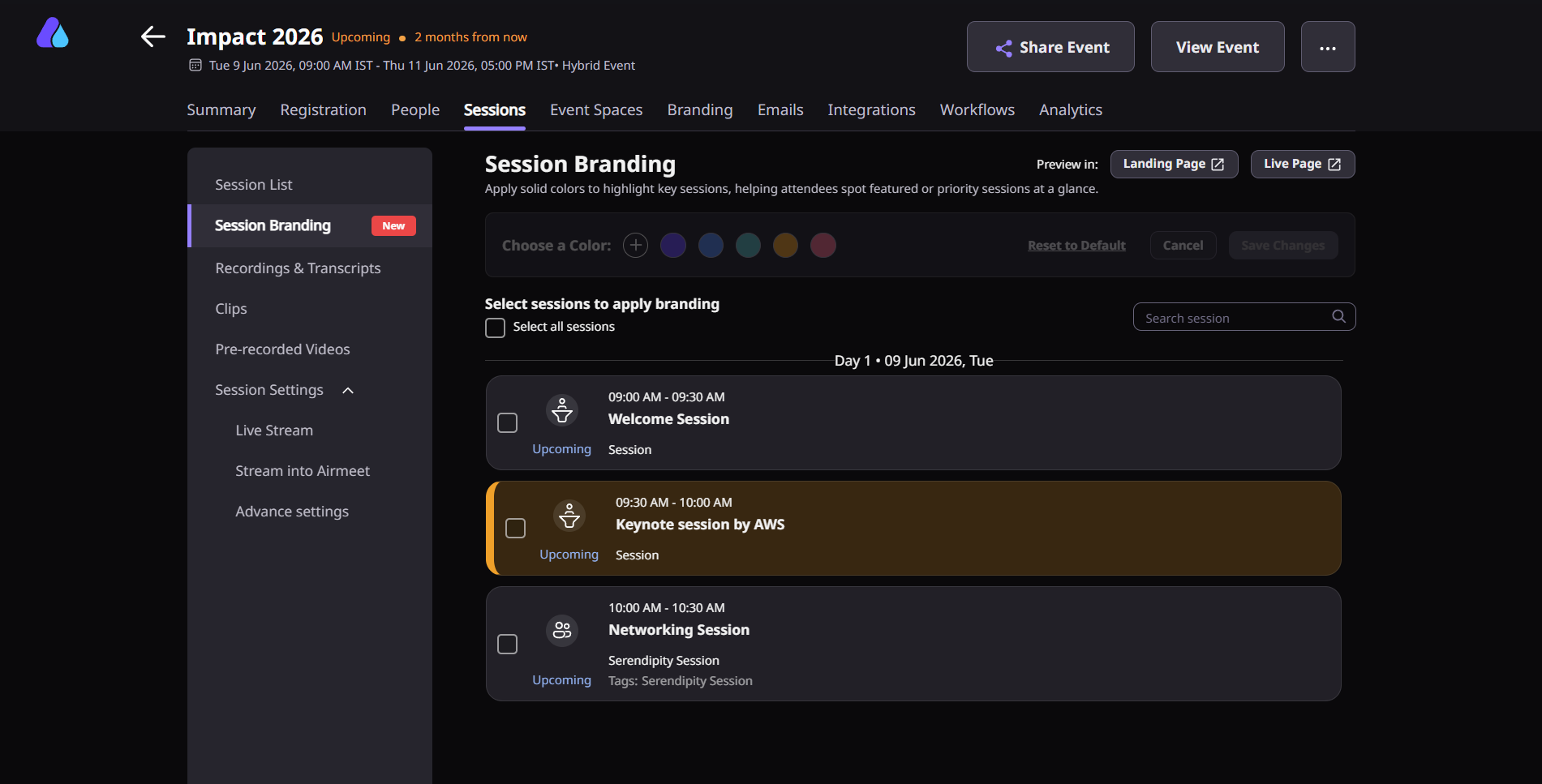
15. Session Branding
Highlight important sessions with custom colors to make them stand out in the agenda and help attendees easily identify key moments of your event.
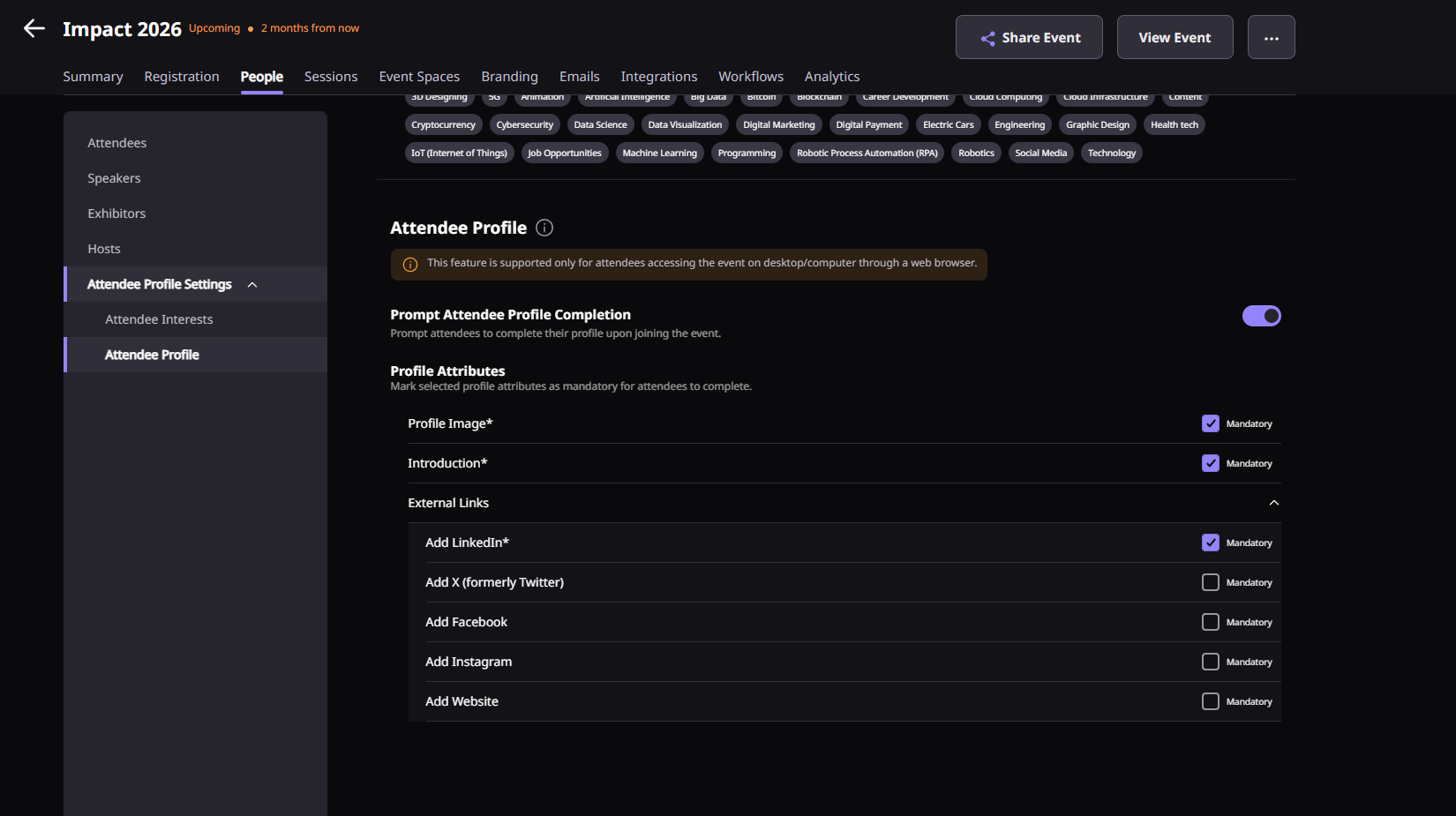
16. Prompt Profile
Prompt attendees to complete their profile immediately after entering the event, with options to make fields like profile image, introduction, and external links mandatory from the dashboard.
⚙️ Others
a. Registration Capping
Protect platform usage and control event scale by setting a maximum registration limit—built for fair usage and better performance.
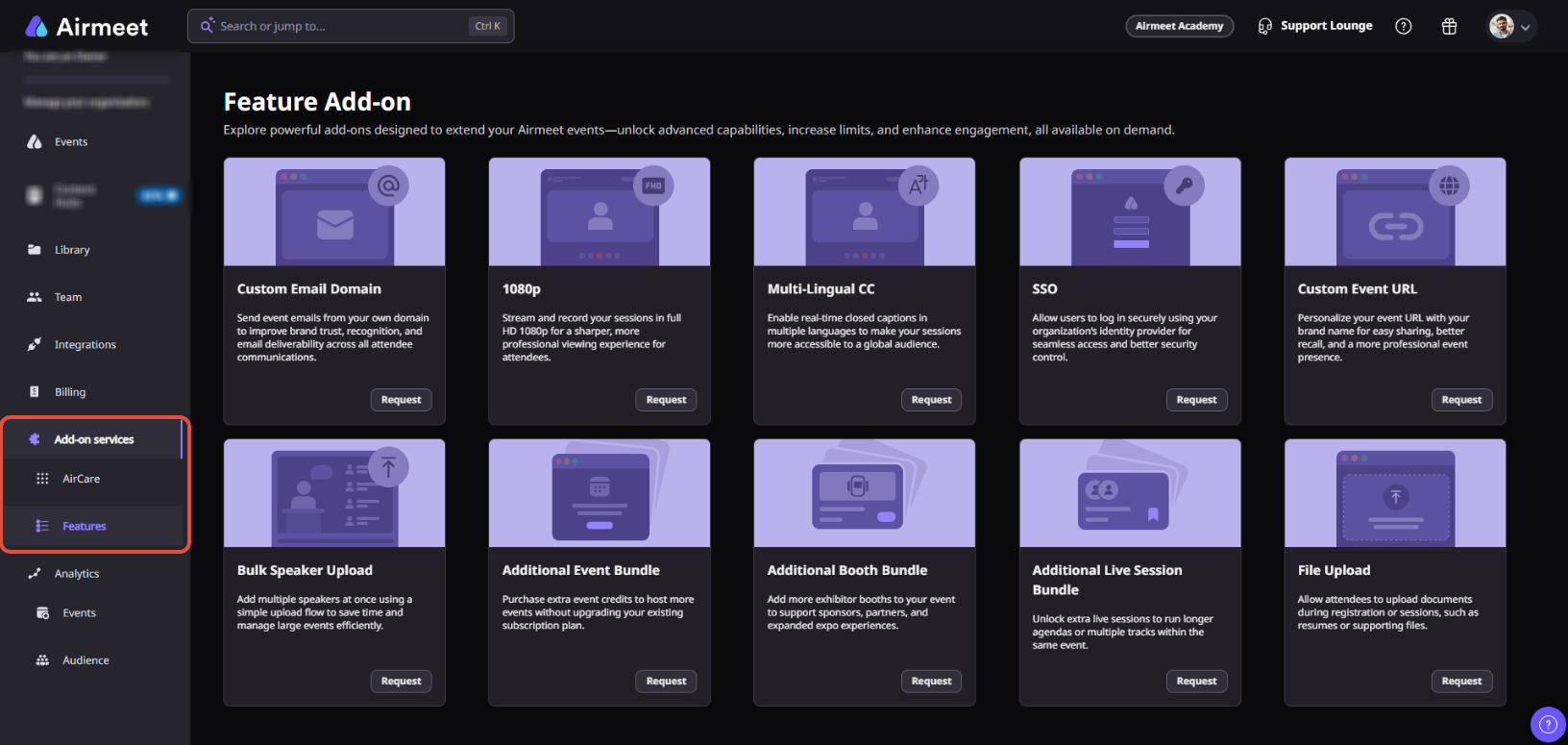
b. AirCare & Add-On Feature Offering
Explore AirCare services and available add-on features within the platform, and request premium services when needed.
Along with these features, we’ve also quietly squashed 12+ bugs you’ll (hopefully) never notice—because that’s kind of the point.If you need more help, contact support@airmeet.com or visit our Customer Support Lounge.
Was this article helpful?
That’s Great!
Thank you for your feedback
Sorry! We couldn't be helpful
Thank you for your feedback
Feedback sent
We appreciate your effort and will try to fix the article